
Fire Alarm Remote Monitoring on Your Phone
Works with Your Existing Panel, No Replacement
Install a small box next to your existing fire alarm control panel and see the status of every panel from your phone or computer. When a fire alarm or panel trouble occurs, owners, safety officers and technicians are all alerted at the same time via LINE, with the exact room shown on the building floor plan.
- ✅ No panel replacement
- ⏱ 1-day installation
- 📶 Built-in 4G SIM
- 💬 LINE & email alerts
- 🏢 Multi-site in one screen
Most fire alarm panels are “alarming alone” with nobody around
Control panels usually sit in a plant room or guard house. If nobody is standing in front of the panel, nobody knows what it is reporting.
Fires when nobody is there
At 2 a.m., on holidays or between shifts, the panel sounds in a back room and nobody hears it until smoke is already visible.
Trouble lights left on for months
A failed detector, broken wiring or flat standby battery leaves the yellow trouble light on with no repair request, until the day the system is really needed.
Many buildings, many branches
Owners of several dormitories, hotels or factories cannot see the status of every panel at once and must wait for someone to call.
Put your existing fire alarm panel online in 3 steps
No dismantling and no panel reprogramming. The panel keeps working exactly as before; the Fire Care box simply reads its status and sends it to the cloud.
Send us a photo of your panel
Photograph the panel front and model label and send it to LINE @newtypeth. Our engineers check for free whether it can be connected at panel, zone or point level, and quote a price.
Box installed in one day
The box is pre-configured at our office. On site we mount it, wire the panel relay contacts (dry contact) or printer port (RS-232), power it from the panel through a DC breaker and scan its QR code to link it to your building.
Phone view + LINE alerts
Every signal is tested together with you, your LINE groups for owners, safety officers and technicians are linked, the handover form is signed, and the system is live on phone, computer and control-room screen.
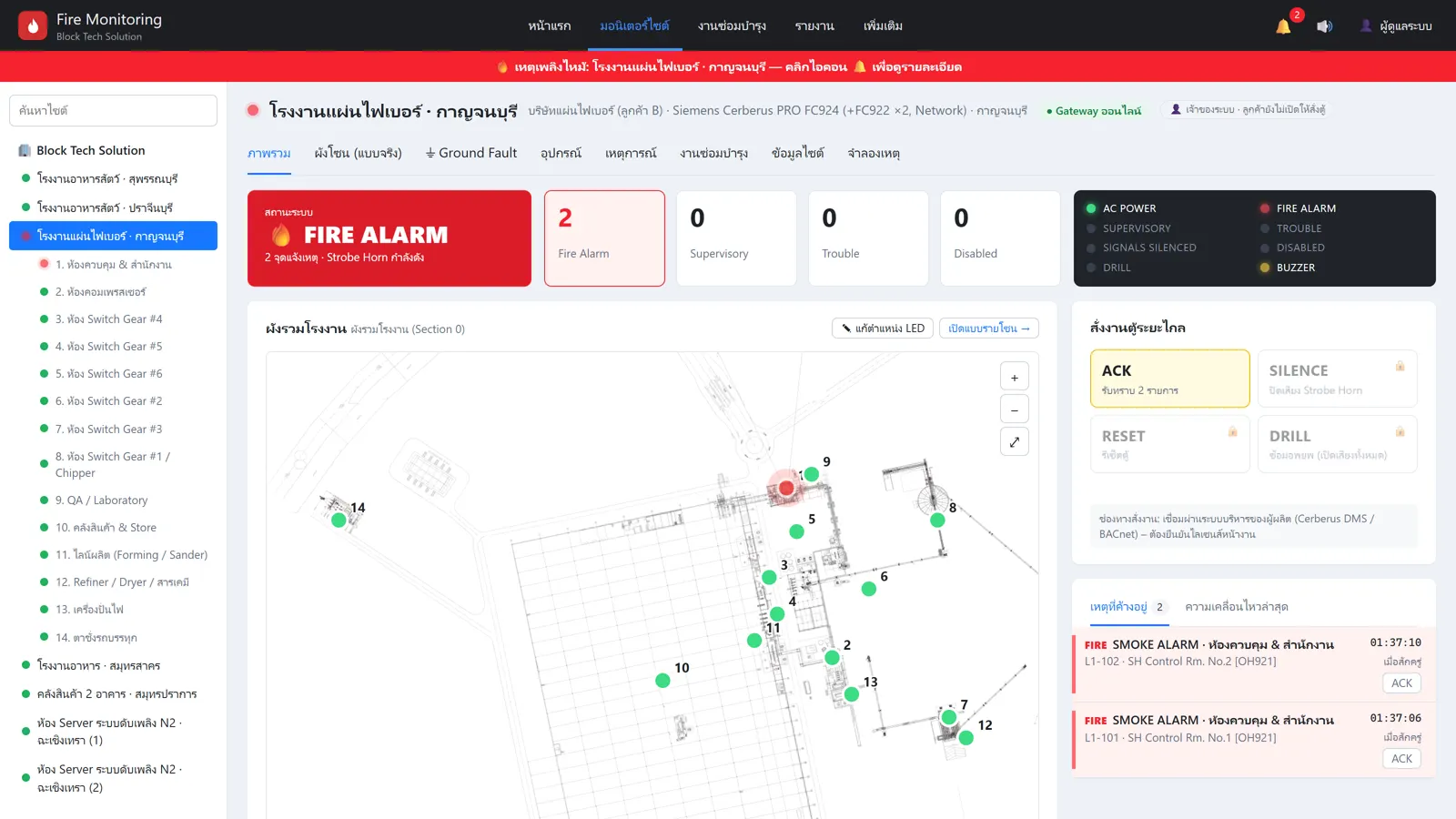
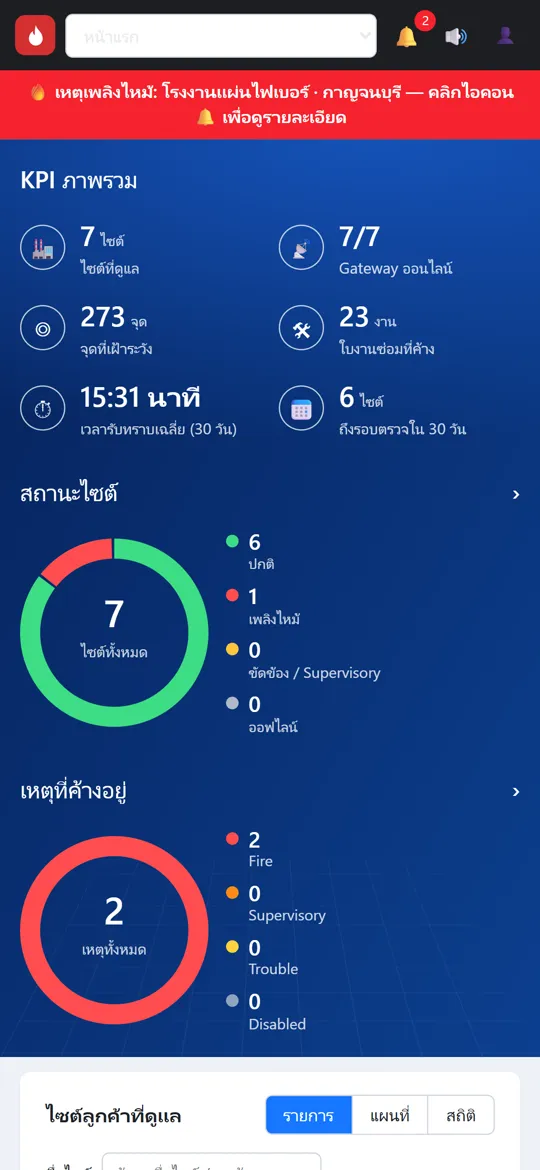
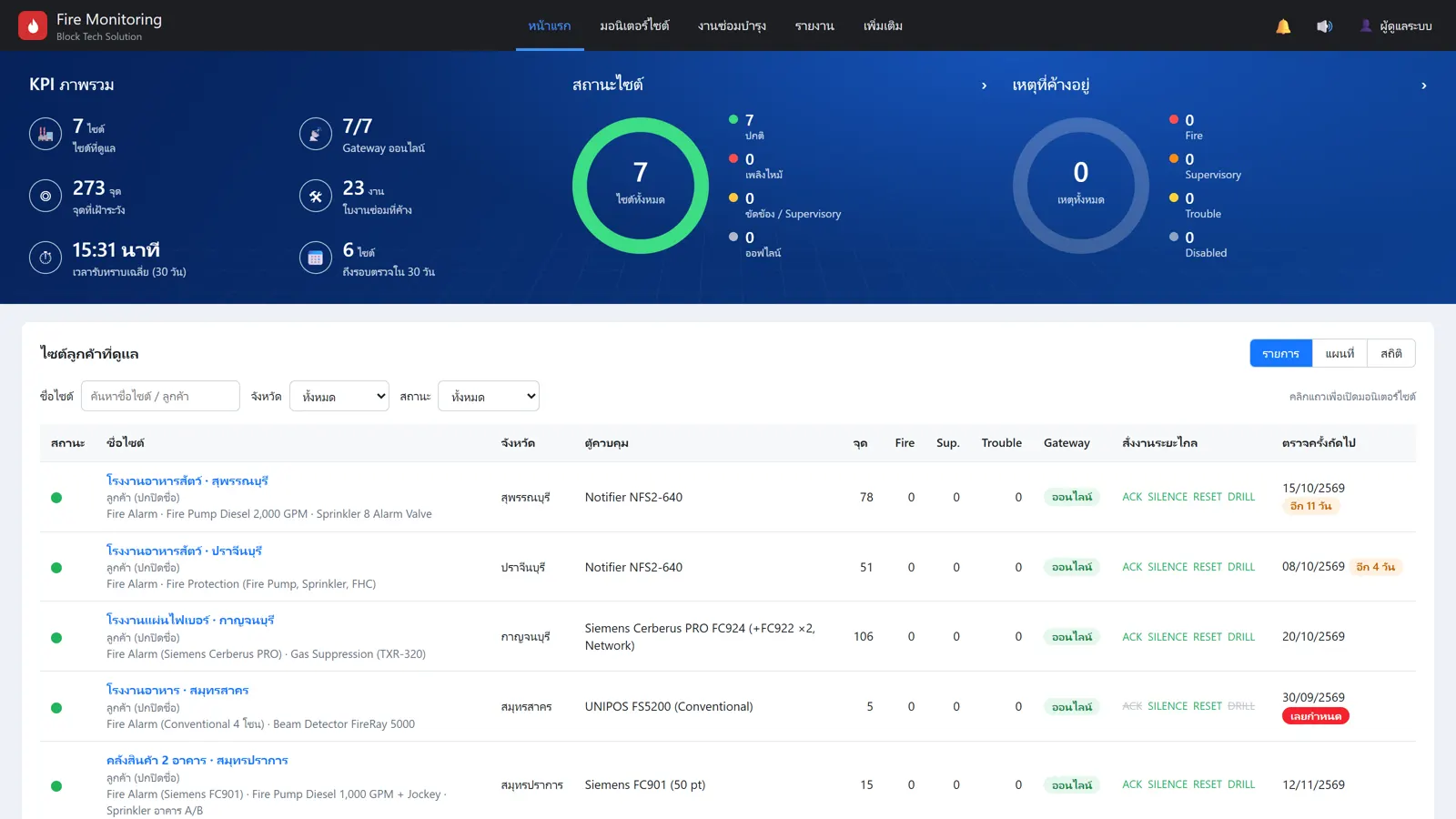
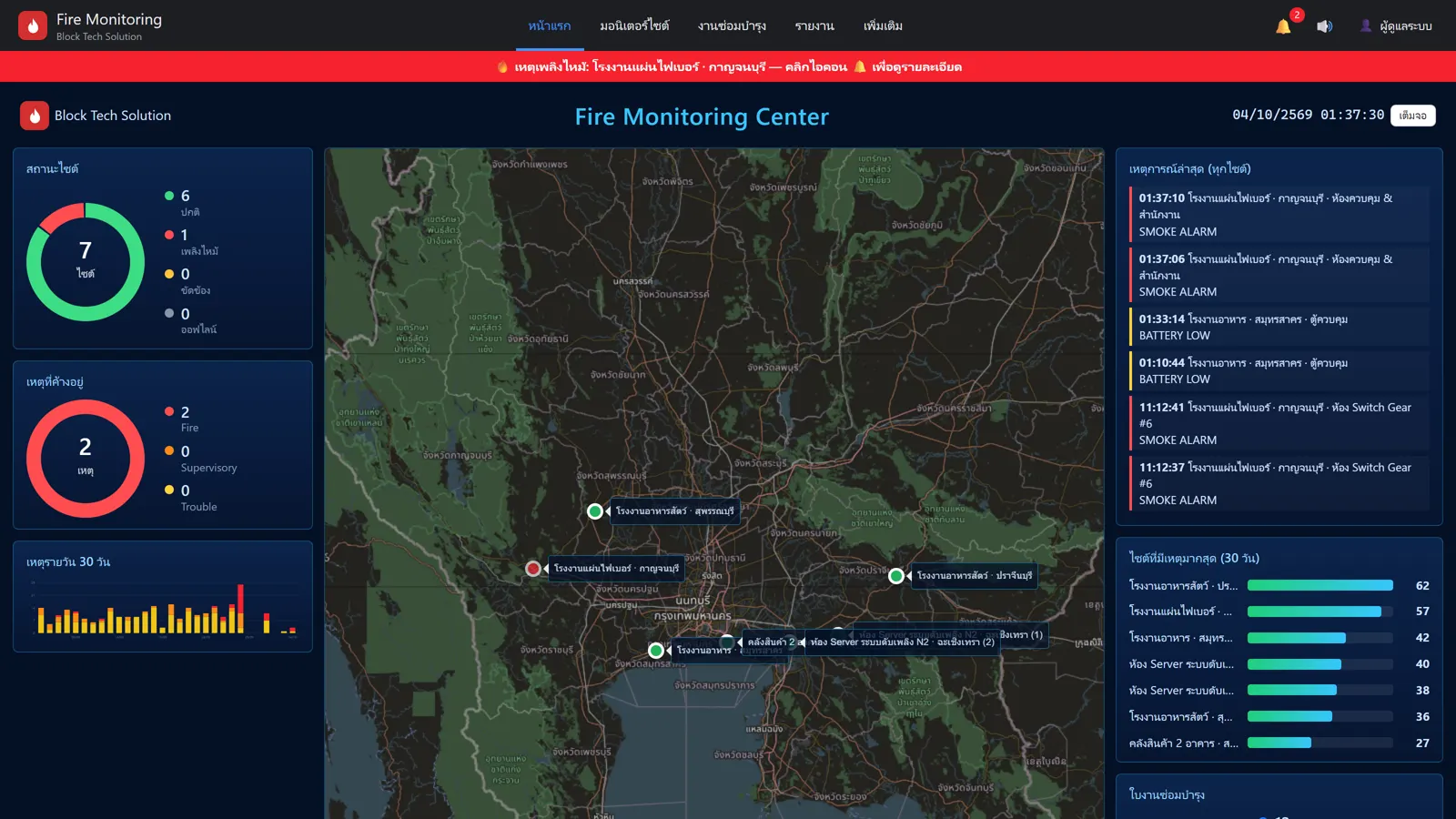
What you see in Newtype Fire Care
All images are taken from the live system used on NTE customer sites (customer names hidden).
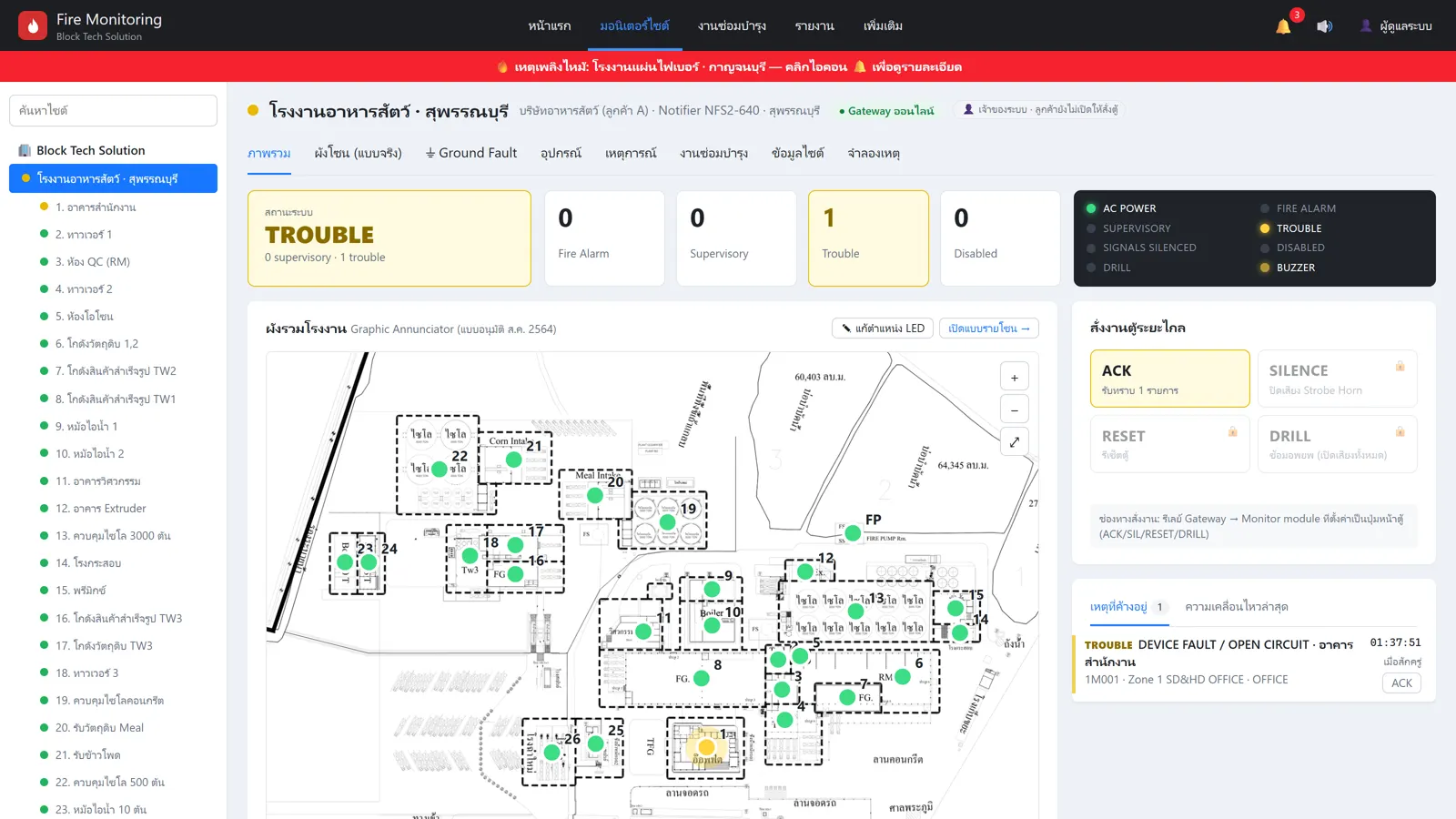
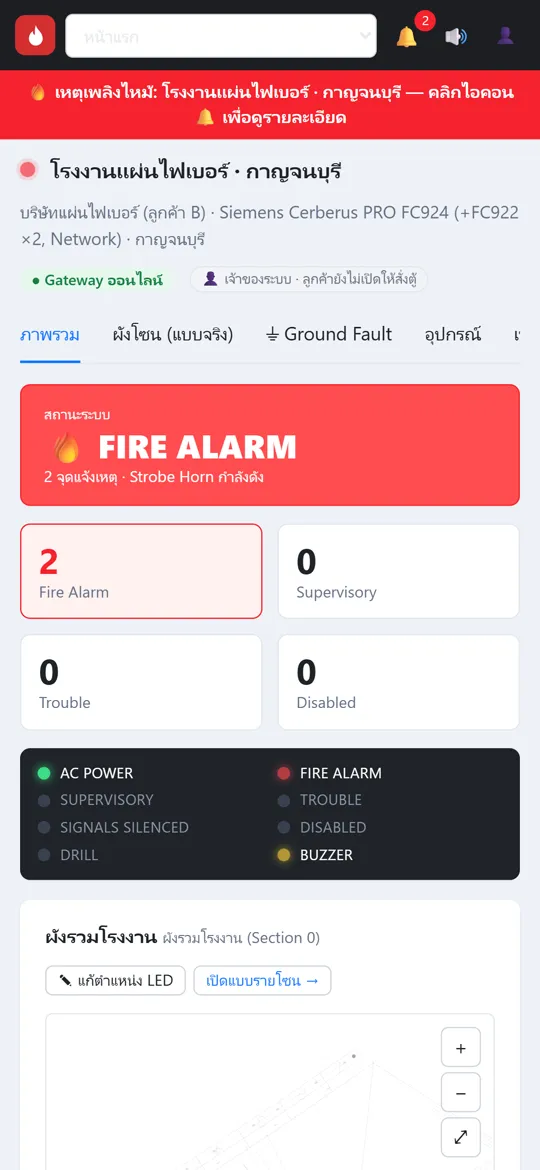
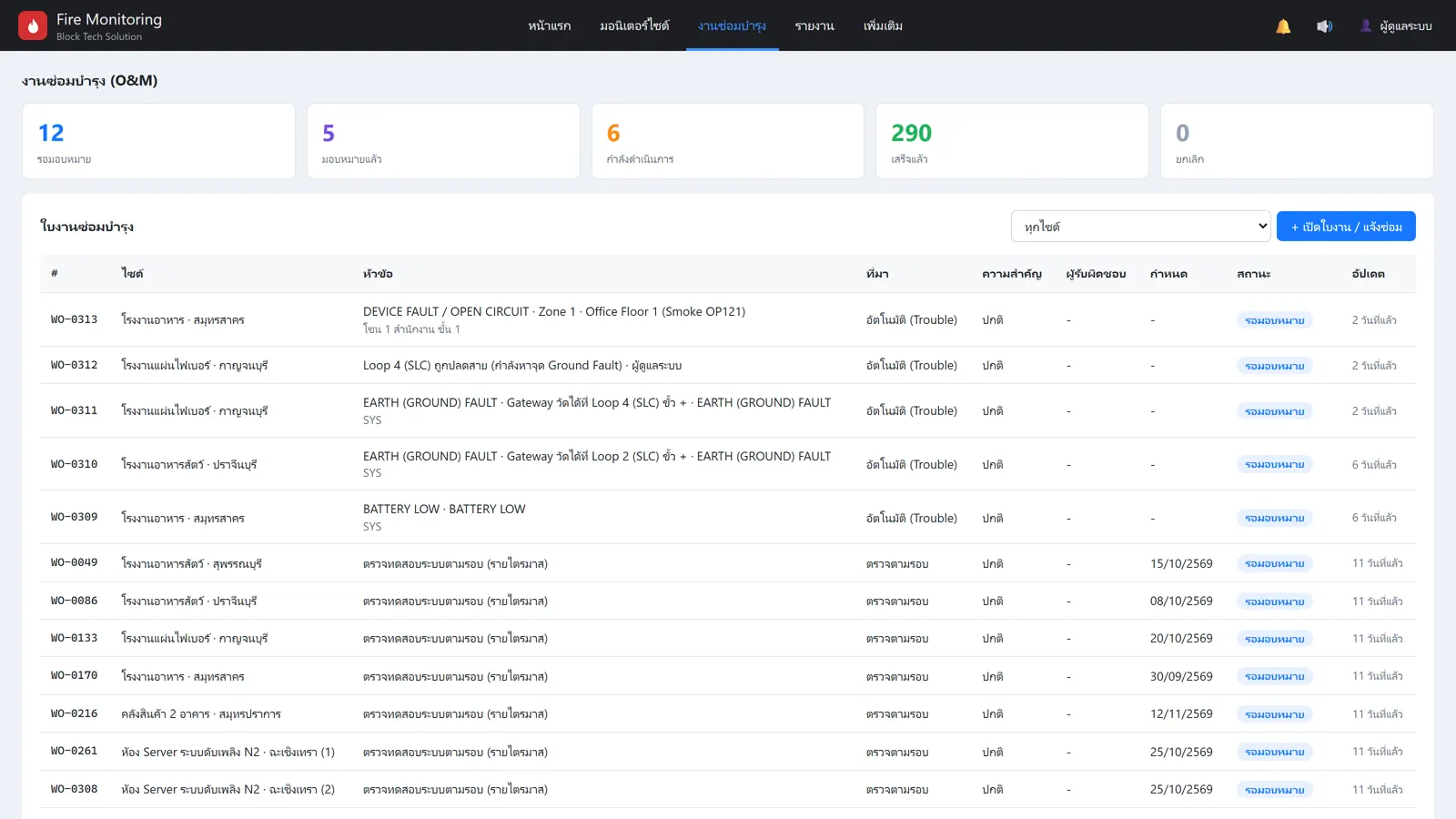
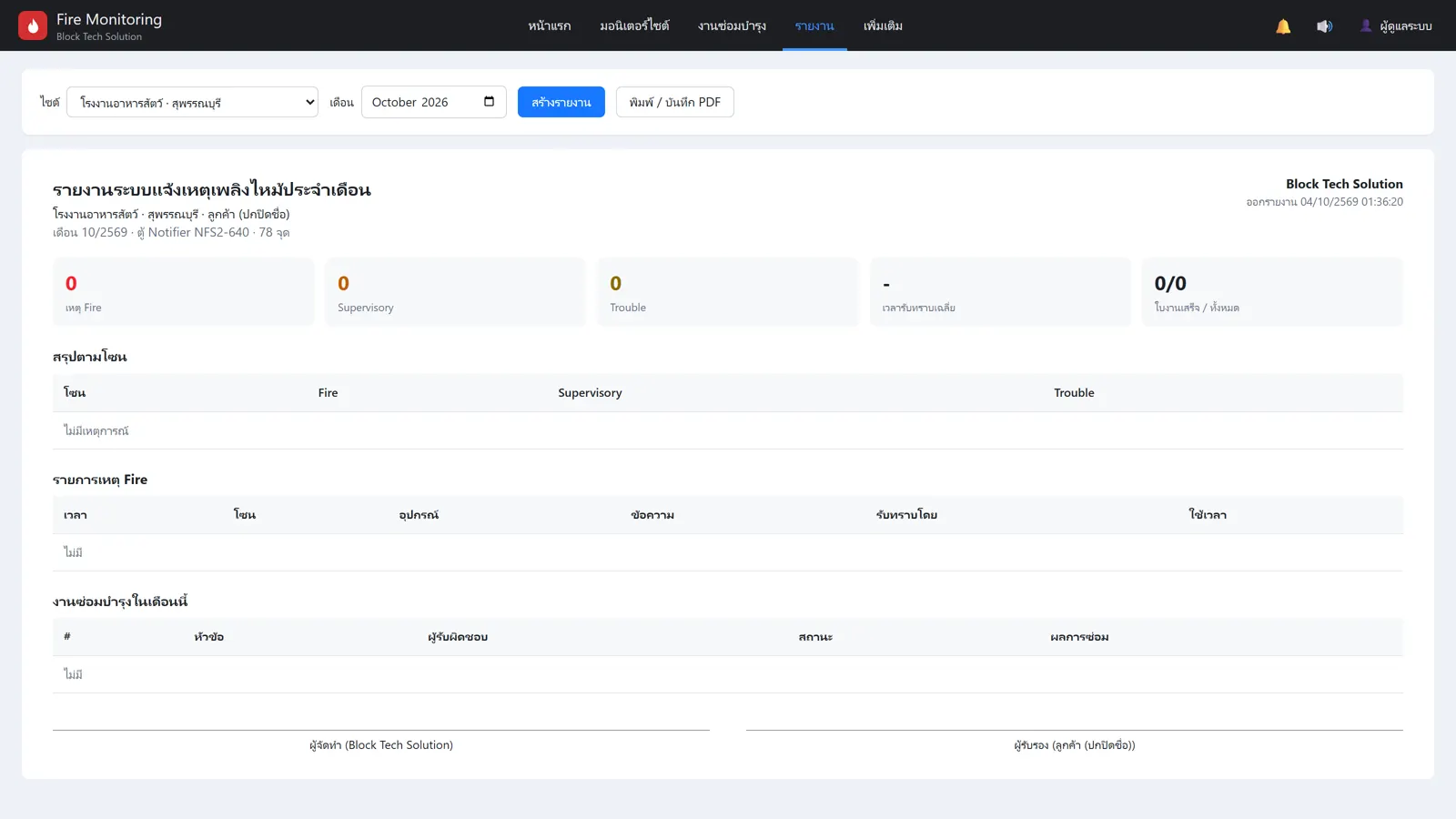
Developed by the New Type Engineering team together with Block Tech Solution.
See the real screens in one minute
From the all-site dashboard and control-room display to the red alarm screen, building floor plan, mobile view, panel LEDs, trouble events, work orders, monthly reports and user permissions.
💬 Request a free live demoKnow every event, everyone at the same time
LINE & email alerts to everyone
Link a LINE group with a 6-character code and choose who receives which event type. Unacknowledged fire alarms are re-sent automatically; once someone acknowledges, everyone is told.
Real building floor plans
Your fire alarm drawings become the main screen, with zone LEDs on the plan. Click any zone to see its devices and history.
All sites in one screen
Owners of several buildings or managers of many factories see every site on a map, separated by company. Customers only see their own sites.
Fire pump · sprinkler · gas suppression
Beyond the fire alarm panel, connect fire pump controllers (running / fault / not in auto), sprinkler alarm valves and gas suppression panels.
Work orders + monthly reports
Trouble events open repair jobs automatically and are tracked to completion. Monthly reports print to PDF as a record of system care.
User roles + full audit trail
Owners, executives, safety officers, technicians and guards see only what they need. Remote ACK / silence / reset only as permitted by the building owner, and every command is logged.
Most existing fire alarm panels can be connected
The level of detail depends on the panel model. Send us a photo first for a free check.
| Panel type | Example brands | Connected via | What you see |
|---|---|---|---|
| Conventional (zone) panels | Hochiki, GST, UNIPOS, Notifier, Edwards and others | Panel alarm / trouble relay contacts (dry contact) | Panel status (fire / trouble / AC power), or per zone if the panel has zone relays |
| Addressable panels with printer port | e.g. Notifier NFS-320 / NFS2-640 | Panel printer port (RS-232) | Per point: device address, room and event type |
| Other addressable panels | Siemens Cerberus PRO, Bosch, EST, Simplex, etc. | Panel output relays or the manufacturer's interface card | Panel / zone level (point level depends on the manufacturer card) |
| Fire pump / gas suppression panels | Diesel / electric pump controllers, clean agent / N2 panels | Panel status contacts | Pump running / fault / not in auto · pre-alarm / discharge / abort |
For buildings without someone at the panel 24/7
Dormitories / apartments
Owners know immediately even when off site
Hotels / resorts
Night shift and managers alerted together
Factories / warehouses
Safety officers and maintenance see every building
Offices / multi-branch
Facility teams monitor all branches in one screen
Fire alarm remote monitoring: frequently asked questions
Do I need to replace my fire alarm panel?
No. The Fire Care box is installed next to your existing panel and reads its relay contacts (dry contact) or printer port (RS-232) without reprogramming the panel. The panel keeps working exactly as before.
Which panel brands are supported?
Most existing panels can be connected, both conventional and addressable, such as Notifier, Siemens, Hochiki, GST, Edwards, Bosch and UNIPOS, as well as fire pump controllers and gas suppression panels. The level of detail depends on the model. Send a photo of your panel to LINE @newtypeth and we will check it for free.
How long does installation take? Must the system be shut down?
Usually one day. The box arrives pre-configured; on site we mount it, wire the signals, link it by QR code and test with you. The panel does not need to be shut down, and maintenance mode prevents nuisance alerts during testing.
Does it use the building's internet?
Not necessarily. The box has a built-in 4G SIM, is powered from the fire alarm panel through a DC breaker, and can use the building LAN as a backup path. No inbound ports need to be opened on your network.
How are alerts sent and who receives them?
Alerts go to LINE groups, email or Telegram. You choose who receives which event type, so owners, safety officers, technicians and guards know at the same time. Unacknowledged fire alarms are re-sent automatically, and you are alerted if a box loses connection.
Can I reset or silence the panel remotely?
Yes, for panels with external control terminals, through the box relays. The building owner decides who may issue which command; every command requires a reason and is recorded in the audit log.
Does this replace the fire alarm panel or legally required monitoring?
No. It is a supplementary system that lets you see panel status from anywhere. The fire alarm panel continues to operate normally even if the box or network fails.
How is it priced?
A one-time installation fee per panel box plus an annual service fee per box. The price depends on the number of panels and signal types; send a panel photo via LINE for a free quotation.